

Pausing Invites
What it does
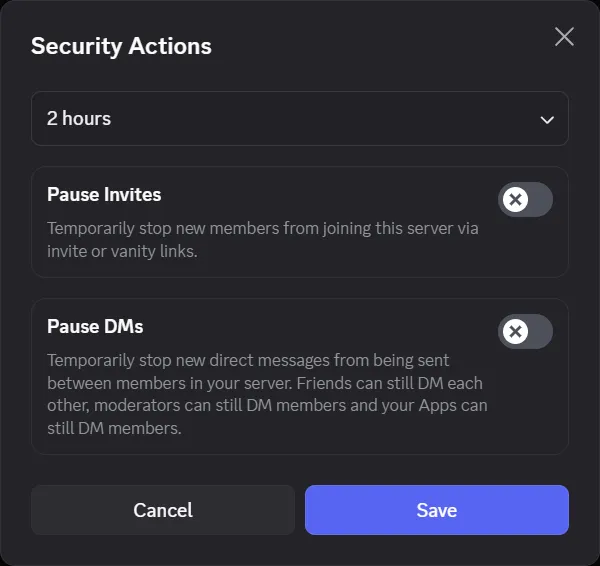
Section titled “What it does”Pausing invites actually has two functions:
- Disable DM notifications between members (see the exceptions in the Pausing DMs section).
- Disable the use of normal and vanity invites to your server.
Both can be enabled independently or at the same time. When enabled, and if you have a Safety Notifications channel set up, Discord sends a notification about it.


Pausing invites
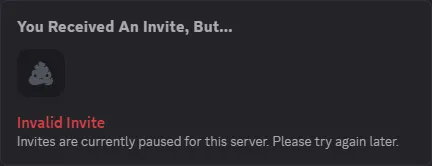
Section titled “Pausing invites”Pausing invites prevents all invites to your server from working, meaning no new members can join until you unpause it (or the paused period expires). It pauses normal invites as well as the vanity invite code.
When people try to use your invite through Discord, it’s rejected and they’re told to try again later.
Pausing DMs
Section titled “Pausing DMs”When enabled, users can’t DM other members unless they’re friends, one of them is a moderator, or the sender is a bot. See the matrix below for the scenario combinations.
| #1 | #2 | #3 | #4 | #5 | #6 | |
|---|---|---|---|---|---|---|
| Author is… | 🤖 Bot | 👤 User | 👤 User | 👤 User | 👤 User | 👤 User |
| Recipient is… | 👤 User | 🤖 Bot | 👤 User | 👤 User | 👤 User | 👤 User |
| Author is staff | — | — | ❌ | ❌ | ✅ | — |
| Recipient is staff | — | — | ❌ | ❌ | — | ✅ |
| Users are friends | — | — | ✅ | ❌ | — | — |
| Outcome | ✅ Can send | ✅ Can send | ✅ Can send | ❌ Cannot send | ✅ Can send | ✅ Can send |
A dash (—) means “any”; that value doesn’t affect the outcome.
If two users have existing DM activity with each other, they’ll always be able to keep DMing each other regardless of these combinations — unless one party has explicitly blocked the other.
As you can see from the table above, disabling DMs only blocks a DM if both users are:
- not staff,
- not friends,
- neither party is a bot, and
- have no existing DMs between each other.
More specifically, neither of them has ever successfully sent a message to the other. One successful message from one person is enough to bypass this.